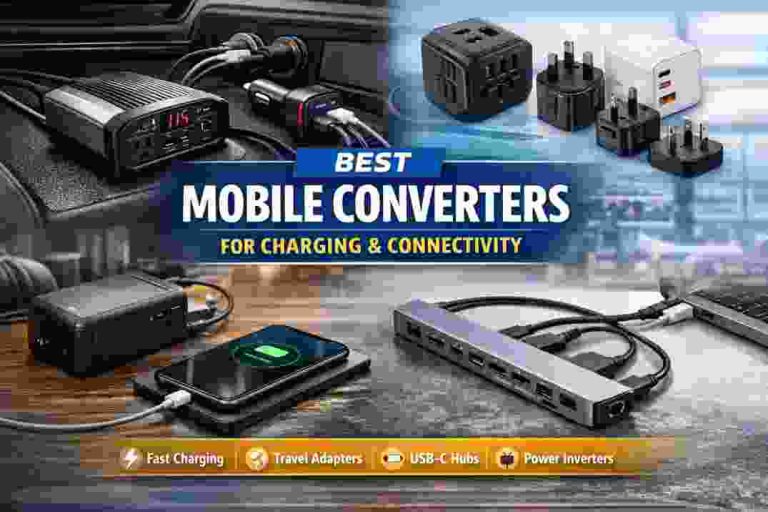
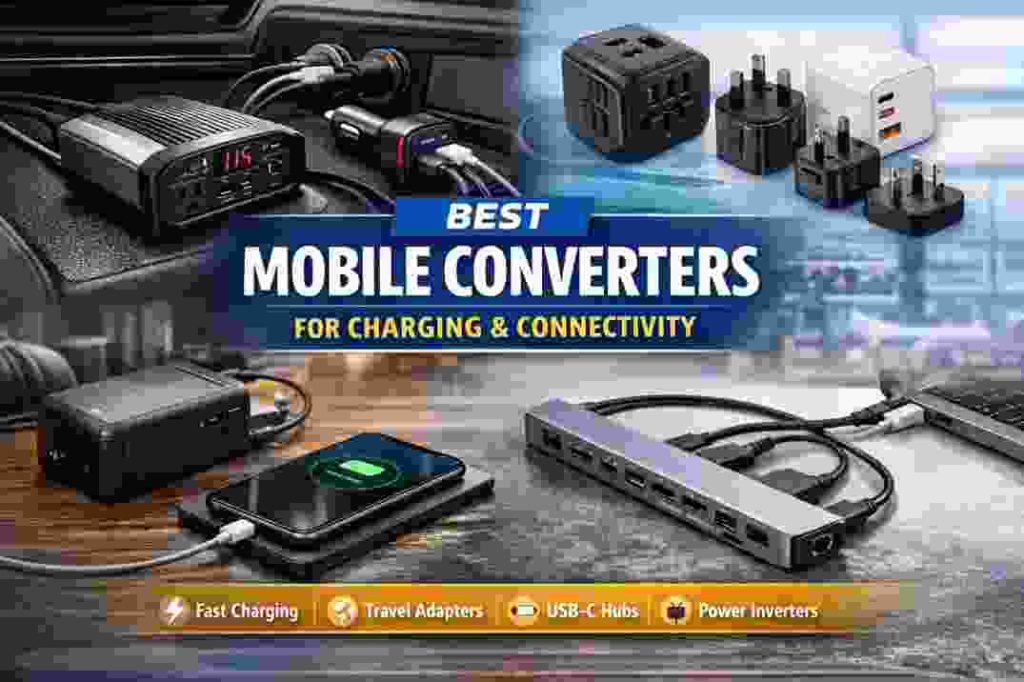
In today’s mobile world, staying powered and connected on the go is crucial. A well-designed mobile converter adapts power from one source (like a car’s 12V outlet or an AC wall plug) into the right form for your devices. For example, it can step down a vehicle’s 12V battery to USB voltages for phones/tablets, or convert foreign outlet power to charge your laptop. With nearly 7 billion smartphone users worldwide, versatile converters that offer multiple USB, HDMI or Ethernet ports have become indispensable. This guide explores what mobile converters are, what features to look for, and highlights top products – from car chargers and inverters to travel adapters and USB-C hubs – that deliver charging and connectivity wherever you need it.
What Is a Mobile Converter and Why You Need One
A mobile converter broadly means any adapter or device that changes power or signals to support mobile devices. In technical systems (like RVs), a “converter” traditionally converts AC to DC to charge 12V batteries (e.g. charging the RV’s house battery from shore power). By contrast, an inverter does the opposite – it converts DC (battery) power back into AC to run appliances.
In everyday terms, mobile converters include car chargers (stepping 12V car power down to USB voltages), travel power adapters (for foreign outlets), and USB hubs/docking stations (expanding ports on laptops/tablets). In all cases, they adapt the available power or connection to what your device needs. A good mobile converter ensures your gadgets stay charged and data-ready, whether you’re in a car, on a plane, or working from a café.
Key Features to Look for in a Mobile Converter
Choosing the right mobile converter means checking its power, ports, and safety. Industry experts emphasize: “check for power, ports, and protection”. In practice, this means:
- Total Output Wattage: Make sure the converter can supply enough power for your devices. Higher wattage generally means faster charging. For example, a multi-device charger with high total wattage can charge a tablet and a phone simultaneously at full speed.
- Port Variety: Look for the correct mix of connectors. Many converters now include USB-C and USB-A ports, plus AC outlets on inverters. A mix of ports “instantly declutters your space” by charging old and new devices together. For instance, the Anker 8-in-1 USB-C hub supplies 85W of power and offers a “good mix of ports” (USB-A, HDMI, Ethernet, etc.) for laptops.
- Fast-Charge Standards: Support for USB Power Delivery (PD) and Qualcomm Quick Charge (QC) is essential for fast charging. Note that a charger’s advertised max speed is a theoretical limit; actual performance depends on how the total power is shared, your cable quality, and your device’s capabilities.
- Built-in Safety: Certified safety features are non-negotiable. Choose converters with surge protection, over-current protection, and temperature control to prevent damage. A reputable charger “is an investment in the safety and longevity of your devices”. Never risk a flimsy, overheating adapter – a well-built converter will protect expensive electronics from spikes or shorts.
- Portability & Build Quality: Look for compact, durable designs, often using Gallium-Nitride (GaN) technology. GaN enables smaller high-power adapters. For example, Anker’s GaN-based 65W travel charger folds into a slim power strip, avoiding bulky transformers. Check that plugs fold or come with adapters (for international travel) and that cables lock securely.
- Compatibility: Ensure the converter matches your power source and devices. Car converters should fit a 12V cigarette-lighter socket; travel adapters need the right plug types (EU/UK/US, 110–240V) and possibly a step-down/step-up transformer if your devices aren’t dual-voltage. Also confirm it supports your device’s connector (e.g. USB-C, Lightning).
By focusing on these factors – sufficient wattage, port variety, fast-charge support, and safety – you can pick a mobile converter that meets your needs. Below we review top converter products in key categories.
In-Car Converters (Car Chargers and Power Inverters)
Car chargers and inverters are quintessential mobile converters for charging on the road. A USB car charger plugs into the 12V cigarette lighter and provides one or more USB ports. A power inverter goes a step further by providing AC outlets (often plus USB) to run laptops or appliances directly from your car’s battery.
- Tollefe 78W 5-in-1 USB Car Charger: Testers at TechGearLab picked this as the best overall USB car charger. It offers multiple USB ports (with USB-C PD support) for “plenty of ports and quick charging” of multiple devices. Its 78W output can fast-charge phones, tablets, even laptops (via USB-C) simultaneously.
- Spigen SteadiBoost Dual Charger: For a budget pick, the Spigen SteadiBoost is compact yet supports both PD (USB-C) and QC (USB-A) charging. It’s great for standard use with two USB ports at an affordable price.
- Energizer 500W Power Inverter: If you need serious power, an inverter is the choice. The Energizer 500W inverter plugs into the lighter or directly to the battery (via clamps) and delivers up to 500W. It has four USB ports and two 120V AC outlets, enough to charge phones, tablets, and even small appliances. In tests, it handled two iPhones, two iPads and a battery charger (before hitting its fuse on a hair dryer). It’s our top pick for high-draw devices because of its multi-plug options and built-in protections.
- BESTEK 300W Power Inverter: A solid choice for creators on the go, this inverter offers dual AC outlets and five USB ports, including smart USB-A and Type-C. It looked good in testing, though it emphasizes checking vehicle fuse limits (it popped a test fuse on overload). Use it for moderate loads like laptops and small tools.
- DeWalt 140W Rugged Inverter: A durable option built like a tool, with rubber grips and a status light for fault alerts. It survived phone, iPad, and even a blender (up to its fuse) in tests. This is a great backup charger if you need only a couple of outlets but want heavy-duty reliability.
In use, experts note that real-world testing is key. Car and Driver’s team plugged in everything from phone chargers (14W) up to hair dryers (547W) to see how inverters performed. A good inverter will run most electronics until its fuse trips, giving a sense of its limits. As one reviewer quipped, the main question is, “If I plug this in, will it work?”. In practice, the Energizer and BESTEK inverters worked fine for phones, tablets, blenders (briefly), and small tools – just check your vehicle’s fuse capacity before running high-wattage loads.
Travel Converters and Multi-Port Chargers
For international travel or multi-device setups, all-in-one adapters are ideal. These converters plug into foreign outlets and provide local power sockets plus USB charging ports. Modern travel adapters often use GaN technology to keep them compact.
- Anker GaNPrime 65W Travel Power Strip: One savvy traveler praises this small power strip for globetrotting. It’s rated for 110–240V so it works worldwide. You simply plug the strip (with its retractable cable) into the local wall adapter. The strip itself has 2 USB-C ports, 1 USB-A port, and 1 AC outlet. This means you can charge two laptops (via USB-C PD at 65W), an older device on USB-A, and still plug in one appliance. It’s a neat trick: rather than carry bulky step-down converters, all your devices (laptop, phone, camera, even an electric shaver) just go into this strip. (Note: don’t plug a 110V-only device into it in a 240V country!)
- Universal Outlet Adapters: Several brands make plug adapters that convert local sockets to your plug type. Look for models that include USB ports to charge phones/tablets without needing a separate charger. For example, a typical 4-in-1 world adapter may provide USB-C and USB-A outputs along with outlets for US/EU/UK plugs. These are handy if you need just phone/tablet power from a foreign outlet.
- Multi-Port Wall Chargers: At home or in hotel rooms, a high-wattage wall charger with multiple USB ports is a great mobile converter. Many USB-C wall chargers (30W–100W) now include 2–4 ports. The Keutek 4-port USB wall charger, for instance, delivers fast charging (up to 65W USB-C PD + other USB-A) and has safety features. More ports mean fewer adapters to carry.
Travelers often emphasize simplicity. Instead of heavy voltage transformers, many have switched to GaN-based USB chargers. One user notes, “The secret is the power strip … it’s 110-240V so no bulky converter is needed”. In short, by using dual-voltage devices and an adapter strip with USB ports, all your gadgets stay powered in any country. For most travelers today, a GaN charger or power strip like the Anker unit is all you need – no heavy brick converters.
USB-C Hubs and Docking Stations for Connectivity
Modern laptops and tablets often use USB-C/Thunderbolt ports, but they may lack all the ports you need. That’s where mobile converters in the form of USB-C hubs and docking stations come in: they provide extra ports (HDMI, Ethernet, SD card slots, etc.) while also offering pass-through charging.
- Anker 555 8-in-1 USB-C Hub: This compact dongle adds ports to your laptop while supplying up to 85W for laptop charging. As PCWorld notes, it “supplies 85W of power” and has a “good mix of ports” (USB-A, HDMI, Ethernet, etc.). Use it to hook up legacy devices (printers, mice), external displays, and still keep your laptop topped up via USB-C PD.
- Plugable Thunderbolt 4 Dual HDMI Dock: For power users, this full-feature docking station offers 13 ports – including dual 4K HDMI, Ethernet, SD/microSD reader, multiple USB-A, and dual Thunderbolt 4 – all in one unit. It also provides up to 100W Power Delivery to charge a laptop. In other words, you plug one cable into your laptop and get networking, multiple displays, USB peripherals and laptop charging simultaneously.
- Plugable 7-in-1 USB-C Hub: A smaller form factor for on-the-go professionals. It provides 3x USB-A 3.0 ports, 1x HDMI, SD/microSD slots, and a USB-C port with up to 100W PD pass-through. This keeps you connected to monitors, flash drives, and still powers your laptop.
- PCWorld-Recommended Hubs: Reviewers stress that “the best USB-C hubs add ports to your PC, providing connections to legacy peripherals like mice, keyboards, printers, or more”. The key is choosing a hub with the right combination of video (HDMI/DisplayPort), USB, and charging capabilities.
A USB-C hub expands a laptop’s ports: the Anker 8-in-1 hub above supplies 85W charging and adds HDMI, Ethernet, and USB-A outlets for connectivity.
These hubs essentially act as mobile converters between USB-C power/data and the various devices you connect. When shopping, check if the hub supports your monitor’s resolution (e.g. 4K@60Hz), and ensure it provides enough PD wattage for your laptop. In our tests, even full-sized docks like Plugable’s easily charged laptops while running dual 4K displays. For tablets and ultrabooks, smaller 7- or 8-in-1 hubs with 60–100W PD are usually enough to charge and connect a few accessories.
Portable Power Banks and Wireless Chargers
For purely charging (no data), portable power banks and wireless chargers are also “mobile converters” in a sense: they store or transmit power on the go.
- High-Capacity Power Banks: Today’s power banks often have multiple outputs. For example, a 26,800mAh battery pack might offer 2x USB-C (PD) and 2x USB-A ports. One model claims to hold 8 days of power and PD fast-charging capability, charging devices 50% faster than ordinary chargers. Look for capacity (mAh) and output (PD wattage). A 20,000mAh+ bank with 45–100W PD can recharge laptops or multiple phones.
- Wireless Charging Pads: Qi wireless chargers are convenient for phones and earbuds. In a car, mounts like the iOttie Auto Sense provide Qi charging plus an extra USB port. On a desk, multi-device pads can charge a phone, watch, and headphones at once. Just note wireless is slower and less efficient than cable PD.
- Solar and Rugged Chargers: For remote use, some power banks include solar panels or hand cranks. These act as converters of light (or mechanical) to power. They’re slower, but can help keep devices alive in emergencies.
Even with power banks, safety and speed matter. Use high-quality brands that regulate output. A good bank will stop charging once devices are full. When possible, use USB-C to USB-C cables for fastest rates. Remember that a power bank’s output (e.g. 18W, 45W, 100W) determines what you can charge: small gadgets vs laptops.
How to Choose the Best Mobile Converter
When selecting a mobile converter, start by listing your devices and usage scenarios. Ask: Do I need car charging, multiple outlets, travel adapters, or hub connections? Then consider: total power needed, port types, and safety. Here are some quick tips:
- Match Your Devices: For example, if you mostly charge phones/tablets, a compact 2- or 3-port USB-C car charger (30–60W total) may suffice. If you need to power a laptop and phone, look for 60–100W converters with USB-C PD.
- Check Compatibility: Ensure the converter supports your car’s voltage or your laptop’s charging specs. USB PD devices negotiate voltage automatically, but the charger must support the required wattage.
- Build Quality Matters: As one expert warns, cheap converters often fail from power spikes or overuse. Spend a bit more on a known brand with certifications. Heavy-duty metal enclosures and heat sinks are signs of quality.
- Port Strategy: If you have many devices, a multiport charger is better than carrying several single chargers. Brands like Anker, Aukey and Belkin make reliable 3–6 port chargers. For cars, multi-port chargers (like the Tollefe 78W) can handle a family of devices.
- Safety First: Always choose converters with voltage/fuse protection. When using inverters, never exceed your vehicle’s fuse rating (usually 20–30A). Turn off the converter before plugging/unplugging heavy loads.
- Future-Proofing: USB-C PD is now standard – favor PD-capable chargers. Also look for fast wireless charging and rising standards. For example, GaN chargers are becoming widespread, allowing higher power in smaller sizes (the user above was “glad to see … gallium nitride” being adopted).
By balancing these factors, you can pick a mobile converter that fits your travel or daily needs.
FAQs About Mobile Converters
Q: What exactly is a mobile converter?
A: A mobile converter is simply an adapter that converts power or signals for mobile devices. In cars, this often means a charger that converts 12V DC to the USB voltages needed by phones. In RVs, “converter” traditionally means a device that charges 12V batteries from AC power. It also broadly includes travel power adapters and USB hubs. Essentially, any plug-in gadget that adapts one power source (car battery, outlet) to charge or connect another device is a mobile converter.
Q: How do I choose the right mobile converter for my needs?
A: Focus on power output, port types, and safety. Check that it has enough wattage (total and per port) to charge all your devices at once. Ensure it offers the right ports (USB-A, USB-C, AC, HDMI, etc.) for your gadgets. Also look for safety protections: surge and over-current protection, and reputable certifications. A quick rule: “enough total wattage and the correct mix of USB-C/USB-A ports” is key. For example, if you have a USB-C laptop and a USB-A phone, a hub or charger with both port types and 60–100W PD is ideal.
Q: What’s the difference between a converter and an inverter?
A: In power terminology, a converter typically changes AC to DC (like charging a battery), while an inverter changes DC to AC. In RV power systems, a converter charges the 12V battery from shore power; an inverter provides AC outlets from the 12V battery. In cars, you’ll more often hear “inverter” for devices that give you household outlets. For mobile electronics, think of converters as DC-to-DC (car-charger style) and inverters as DC-to-AC.
Q: Can I charge a laptop from a car with one of these converters?
A: Yes – if the converter provides enough wattage. Look for a car charger or inverter with USB-C PD output rated for your laptop’s power (often 45–100W). For example, the Tollefe 78W charger or a 100W power inverter could keep a laptop charged. USB-C hubs with PD (like the Anker 555 with 85W) can do this too. Just be sure your car’s engine is running or the charger is connected to the battery to avoid draining it.
Q: Is GaN (Gallium Nitride) technology important?
A: GaN lets chargers run hotter and faster in a smaller package. Chargers built with GaN components are usually more compact and efficient. Many high-end mobile converters now use GaN – for example, the Anker 65W travel charger mentioned above. It’s a good thing! GaN converters tend to last longer and give more power per size than older silicon-based designs.
Q: What safety features should I look for?
A: Always choose converters with built-in protections. Surge protection guards against spikes in electrical current. Over-current/over-voltage protection ensures the device shuts off if too much power is drawn. Temperature control prevents overheating. For car inverters, also check for a fuse or automatic shutoff. As Keutek advises, “A charger that feels flimsy or gets dangerously hot is a major red flag” – invest in a well-built model.
Conclusion: Power and Connect Anywhere with the Right Converter
In a world of ever-more devices, a good mobile converter is your lifeline on the move. Whether it’s a multi-port car charger for your road trip, a GaN travel adapter for overseas, or a sleek USB-C hub at your coffee-shop desk, these converters ensure all gadgets stay powered and in sync. We’ve covered key features – wattage, ports, and safety – and highlighted top products. Now it’s your turn: pick the converter that fits your devices and lifestyle.
Found this guide helpful? Share it with friends who could use better charging solutions, and join the conversation below: what’s your go-to mobile converter? Your experience can help others stay charged and connected too!
Sources: Trusted tech reviews and industry guides were referenced throughout to ensure accuracy.
About the Author