Windows Phone may be discontinued, but its apps live on in memory. Launched in 2010, Windows Phone (and later Windows 10 Mobile) built a unique ecosystem of live-tiled apps and tight Microsoft integration. At its peak the Windows Phone Store hosted over 300,000 apps. Fans still remember flagship apps – from Office and OneNote for productivity, to social and streaming apps – that defined the platform. In this guide we’ll explore the best apps ever made for Windows Phone, covering its history, top categories, standout apps, and why these apps mattered. We’ll also answer common questions about the platform.
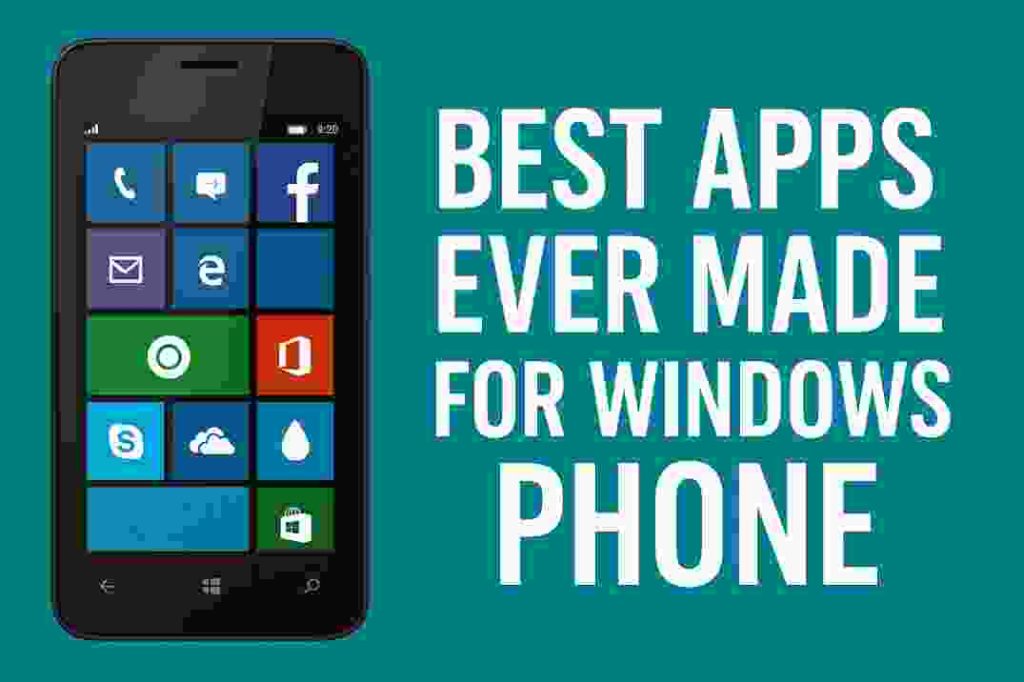
- Microsoft Office (Word/Excel/PowerPoint): Full-featured mobile Office suite – view and edit documents on the go.
- Facebook & Instagram: Official social media apps for sharing photos and updates (supported on WP lock screen).
- WhatsApp & Skype: Popular messaging and VoIP apps – WhatsApp returned with full features for Windows Phone, and Skype offered free video/voice calls to friends worldwide.
- OneNote & OneDrive: Built-in Microsoft apps for note-taking and cloud storage, syncing across PC and phone.
- Adobe Photoshop Express & Afterlight: Powerful photo editors bringing Photoshop-like filters and edits to WP users.
- Netflix & Spotify: Major streaming services – Netflix let you watch TV/movies on a Lumia, and Spotify provided on-demand music.
- Uber & HERE Drive+: Ride-hailing and navigation – order a ride with Uber; HERE Drive offered offline turn-by-turn maps.
- Office Lens: A document scanner app (captures receipts and whiteboards into OneNote).
- Baconit & Readit: Community RSS/Reddit apps – Baconit and Readit were beloved Reddit clients for WP (pin subreddits as live tiles).
- Plex: Media server client for streaming your home videos and music to phone.
- Truecaller: Caller ID and spam-blocking service to identify unknown calls worldwide.
Each of these apps earned a place on Windows Phone with polished Metro-style interfaces and Live Tile support. For example, Password Padlock (a secure password generator) let users create AES‑256 encrypted passwords on-the-fly (see image below). Many popular services built native WP apps, while third parties filled gaps with quality alternatives.
Windows Phone apps often offered unique features. Microsoft’s Live Tile home screen displayed real-time updates from apps – for instance the Mail tile showed unread counts, or Weather updated live – giving WP a dynamic feel. Social “hubs” integrated multiple networks: the People Hub combined Facebook, Twitter and Outlook contacts into one unified view. This integration meant built-in apps like Photos pulled your Facebook albums into your camera roll, and the Messaging app could tie SMS to your Facebook or Skype chats. Windows Phone’s design language (formerly “Metro”) and transparent Live Tile backgrounds were also distinct among mobile OSes.
History & Evolution of Windows Phone
Windows Phone debuted in 2010 as Microsoft’s answer to iOS and Android. Early versions (WP7, WP8) ran on Lumia devices and others. The Windows Phone Store grew quickly – it passed 100,000 apps by mid-2012, surpassing BlackBerry’s count, and reached 300,000+ apps by 2014. This included both major brand apps and many high-quality indie titles. In 2015 Microsoft merged the Windows Phone Store into the Universal Windows Store for PCs and tablets, hoping to unify the ecosystem.
Despite a loyal fanbase, market share stayed small (single digits) and many popular apps eventually ceased WP support. Microsoft officially ended Windows Phone (10 Mobile) support in late 2019. By 2020 no new security updates were released, and by 2023 even the store backend was shut down. In practice, this means new downloads or purchases are no longer possible, though existing apps on devices still work offline. In February 2025 the last Windows Phone store services were finally discontinued.
Why remember these apps? For many users, Windows Phone’s seamless Office integration, Live Tiles, and elegant UI were compelling. Its apps – whether built-in (OneNote, Office Lens, HERE Maps) or third-party (Nextgen Reader, Nokia Creative Studio) – maximized this experience. As one 2025 review noted, the Windows Phone Store “is steadily expanding its arsenal of great apps” even in late stages. While new mobile development has moved on, these apps represent the peak of the platform.
Top Windows Phone App Categories
To understand the best apps, we can look by category:
- Productivity & Office: Windows Phone shined in work tools. Preinstalled Office Mobile (Word/Excel/PowerPoint) let you edit documents on the bus. OneNote was an excellent notetaker with live tile support. Outlook (and Exchange mail) was fully supported, integrating email, calendar and Office 365. Other standouts: Evernote (notes with syncing) and Dropbox (cloud storage) provided cross-platform backup. Business utilities like Ginger Keyboard (spellcheck), Mileage Log, Files (file manager) and Office Lens (camera scanner for docs) expanded this category.
- Social Media & Messaging: All the social giants had WP apps. Facebook, Twitter and LinkedIn offered official clients. Visual platforms Instagram and Vine appeared as native apps, while Pinterest had third-party clients. For messaging, WhatsApp was a must-have – it even returned to Windows Phone with a major 2015 update offering media auto-download and custom backgrounds. Microsoft’s Skype was deeply integrated for voice/video calls. Other chat apps like WeChat, Viber, Telegram, and Facebook Messenger also kept WP phones connected worldwide.
- Entertainment & Media: Windows Phone had solid entertainment apps. Netflix (streaming shows) was praised for reliable playback. Music fans could use Spotify or built-in Xbox Music/ Groove. Nokia’s exclusive MixRadio (formerly Nokia Music) offered free personalized radio. Video-wise, YouTube lacked an official app, but alternatives like MetroTube, PrimeTube and Toib (a YouTube client) filled the gap. News and reading were covered by Flipboard (a tile-based news magazine) and RSS clients Nextgen Reader, Weave, and the official News app. Audiophiles used Audible for audiobooks and Pandora or SoundCloud apps for streaming audio.
- Photography & Creativity: Windows Phone camera apps were a highlight on Lumia phones. Lumia Camera (Nokia’s app) unlocked pro controls like exposure and shutter speed. Lumia Creative Studio applied filters and blur effects. For editing, Adobe Photoshop Express brought powerful photo tweaks (crop, red-eye removal, filters) to the phone. Instagram and Vine covered sharing to social. A unique Microsoft app, Photosynth, let users capture stunning 360° panoramas. (Photosynth even had its own community for shared panoramas.) We can also mention Movie Creator (video editing) and apps like Ringtone Maker.
- Utilities & Tools: WP’s storefront included many handy utilities. HERE Drive+ (maps and offline navigation) was a standout. HERE Transit provided public transit directions. Health & fitness apps used Lumia sensor tech (e.g. miCoach Run&Train). For finance, PayPal and Mint let users manage money on mobile. The Windows Phone UI famously lacked app folders, but third-party App Folder app filled that need. Battery Saver, Data Sense, and built-in Quiet Hours controlled power usage and notifications. There were also niche must-haves: e.g. BBM (BlackBerry Messenger) continued on WP, Toyota Showroom (for NFC test-drive demos), and region-specific banking apps. Even sensor-based utilities like Medical ID, Flashlight Zero (use LED as a torch), Network Speed Test (internet speed measurement) and File360 (file explorer) were well-designed for the Metro interface.
Across all categories, Windows Phone’s app design conventions (bright tiles, pivot menus, toast notifications) made them feel cohesive. Many apps supported Live Tiles – e.g. the Sports app could show live scores, or Finance tiles showed stock updates. As a 2025 WP app list put it, “the best thing about the Windows Phone Store is that we can try apps before purchasing”, reflecting the ‘try-before-you-buy’ policy that helped users find high-quality apps.
Why These Apps Matter (User Value)
Although Windows Phone is defunct, these apps left a legacy. Many were re-implemented on iOS/Android, and a few have “Universal Windows” successors (like OneNote and Microsoft Office). For historical interest and app nostalgia, knowing these titles is useful. They also show what developers did to leverage Windows Phone’s strengths (e.g. tight Xbox integration, Cortana voice support, cloud sync).
Some figures underscore the platform’s impact: at launch Microsoft spent $7.6 billion to acquire Nokia’s phone business, hoping WP would capture market share. While market share peaked around 3% globally, in some regions like Europe it briefly hit 10%. Critics note the app gap (some major brands never ported) hurt growth, but the depth of apps like the ones above kept enthusiasts loyal. The Windows Phone Store itself “contained more than 300,000 apps” as of 2014, showing that developers did produce a large catalog, even if distribution waned later.
By 2025, Microsoft suggests moving on: they recommend Windows Phone users “transition away,” since there are no new updates or security patches. Yet hobbyists still use old Lumias and build custom ROMs. In this context, the question “best apps ever made” is nostalgic and informational. For many readers it will bring back memories of the Metro UI tiles and a time when Microsoft challenged mobile with a fresh approach.
Conclusion
Windows Phone changed mobile app design with its Metro interface and live tiles, and while the platform is discontinued, its strongest apps are still remembered fondly. From essential productivity apps (Office, OneNote, Lens) and social clients (Facebook, WhatsApp) to creative tools (Lumia Camera, Photoshop Express), these were the best apps on Windows Phone. As of 2025 the official Store is offline, but these apps illustrate the peak of the Windows Phone era. Whether you use a legacy Lumia or are just exploring tech history, this collection of Windows Phone apps offers genuine value and insight into the platform’s capabilities.
Did you own a Windows Phone? Which app was your favorite? Share your memories in the comments below!
Frequently Asked Questions
Q: What was Windows Phone and who made it?
A: Windows Phone was a mobile operating system developed by Microsoft (successor to Windows Mobile). It featured a “Metro” (later called Modern) interface with a Start screen of live tiles. It launched in 2010 and reached Windows 10 Mobile in 2015, after which Microsoft ceased active development.
Q: Why did Windows Phone fail?
A: Several factors: it entered a competitive market late, struggled to attract developers, and had lower app selection than iOS/Android. By 2016 its global market share fell below 1%. Microsoft eventually pivoted to building apps for Android/iOS instead of continuing WP. Windows Phone support officially ended in December 2019.
Q: Can I still install apps on Windows Phone?
A: As of 2023, Microsoft shut down the mobile store backends. Officially, you cannot download new apps. Some users sideload apps (APK or APPX files), but this is unsupported. In practice, the apps listed above can run if already installed, but no new official app installations are possible.
Q: Which were the most popular Windows Phone apps?
A: Among the highest-rated apps were Microsoft’s own (Office Mobile, OneNote, OneDrive), social apps (Facebook, WhatsApp, Twitter), media apps (Netflix, Adobe Photoshop Express, Lumia Camera), and utilities (HERE Maps/Drive, Uber, Office Lens). Many of these we’ve covered above. Third-party favorites included Nextgen Reader (RSS), Baconit/Readit (Reddit), and Spotify.
Q: What is Live Tile and why is it important?
A: A Live Tile was a Windows Phone home-screen icon that could display dynamic info (like news headlines, weather updates, or message counts) in real-time. It was a unique UI feature that let apps surface content at a glance without opening them. Many of the best Windows Phone apps used Live Tiles to keep users updated.
Q: Are any Windows Phone apps on Android/iOS now?
A: Microsoft ported many of its WP apps to Android/iOS. For example, Microsoft Office, OneNote, Skype, and Outlook run on all platforms. Third-party apps like WhatsApp, Spotify, Uber, and Netflix likewise live on Android/iOS. However, exclusive WP titles (e.g. Lumia Creative Studio, Photosynth) may not have direct counterparts, since they were often Microsoft/Nokia-owned. Nonetheless, alternatives exist on modern platforms for most of the functionality.
Sources: Information compiled from Microsoft’s own Windows Phone blog posts, a 2025 Hongkiat review of Windows Phone apps, and Wikipedia/Microsoft documentation on Windows Phone history. These provide up-to-date context and app details.
About the Author